
Deepfake Detection
deepfakeDetect if an image or video is a DeepFake. Deepfakes are defined as cases where a face in an image or video has been swapped or modified to look like another person.
Overview
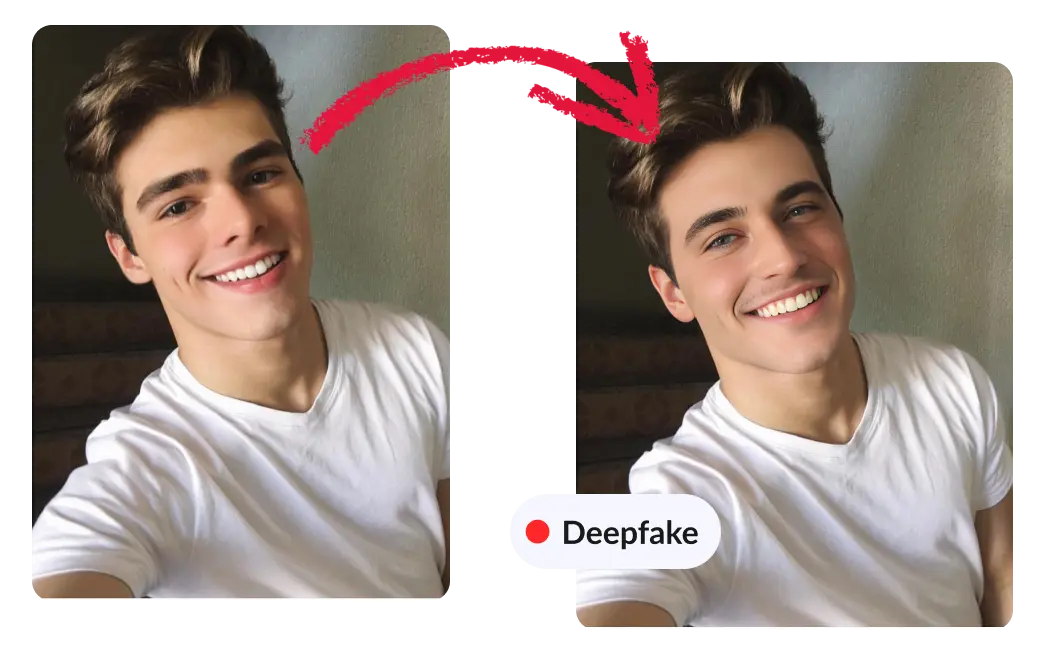
The Deepfake Detection Model can help you determine if an image or video is a deepfake. Deepfakes are defined as cases where a face in an image or video has been swapped or modified to look like another person.
The Model works by looking at the most prominent faces in the image or video and checking if at least one of the faces is a DeepFake. Videos are analyzed frame by frame, and a deepfake score is returned for each analyzed frame. The model was trained to work with photographic images and real video footage.
How about synthetic and AI-generated images or videos?
This model focuses on real photographic images and videos in which faces have been swapped or modified to make them look like someone else.
In order to detect fully AI-generated content, you can use the AI-Generated Image Detection Model and the AI-Generated Video Detection Model.
Use cases
- Tag deepfake images and videos as such, to limit the spread of misinformation and fake news
- Implement stricter moderation rules on deepfakes
- Detect potential fraud such as impersonation, fake ids or face-swapped video verifications
- Enact bans on deepfakes
Use the model (images)
If you haven't already, create an account to get your own API keys.
Detect if an image is a deepfake
Let's say you want to check the following image:

You can either share a URL to the image, or upload the image file. Supported formats include JPEG, PNG, WebP, AVIF and more.
Option 1: Send image URL
Here's how to proceed if you choose to share the image URL:
curl -X GET -G 'https://api.sightengine.com/1.0/check.json' \
    -d 'models=deepfake' \
    -d 'api_user={api_user}&api_secret={api_secret}' \
    --data-urlencode 'url=https://sightengine.com/assets/img/examples/example-fac-1000.jpg'
# this example uses requests
import requests
import json

params = {
  'url': 'https://sightengine.com/assets/img/examples/example-fac-1000.jpg',
  'models': 'deepfake',
  'api_user': '{api_user}',
  'api_secret': '{api_secret}'
}
r = requests.get('https://api.sightengine.com/1.0/check.json', params=params)

output = json.loads(r.text)
$params = array(
  'url' =>  'https://sightengine.com/assets/img/examples/example-fac-1000.jpg',
  'models' => 'deepfake',
  'api_user' => '{api_user}',
  'api_secret' => '{api_secret}',
);

// this example uses cURL
$ch = curl_init('https://api.sightengine.com/1.0/check.json?'.http_build_query($params));
curl_setopt($ch, CURLOPT_RETURNTRANSFER, true);
$response = curl_exec($ch);
curl_close($ch);

$output = json_decode($response, true);
// this example uses axios
const axios = require('axios');

axios.get('https://api.sightengine.com/1.0/check.json', {
  params: {
    'url': 'https://sightengine.com/assets/img/examples/example-fac-1000.jpg',
    'models': 'deepfake',
    'api_user': '{api_user}',
    'api_secret': '{api_secret}',
  }
})
.then(function (response) {
  // on success: handle response
  console.log(response.data);
})
.catch(function (error) {
  // handle error
  if (error.response) console.log(error.response.data);
  else console.log(error.message);
});
See request parameter description
| Parameter | Type | Description |
| url | string | URL of the image to analyze |
| models | string | comma-separated list of models to apply |
| api_user | string | your API user id |
| api_secret | string | your API secret |
Option 2: Send image file
Here's how to proceed if you choose to upload the image file:
curl -X POST 'https://api.sightengine.com/1.0/check.json' \
    -F 'media=@/path/to/image.jpg' \
    -F 'models=deepfake' \
    -F 'api_user={api_user}' \
    -F 'api_secret={api_secret}'
# this example uses requests
import requests
import json

params = {
  'models': 'deepfake',
  'api_user': '{api_user}',
  'api_secret': '{api_secret}'
}
files = {'media': open('/path/to/image.jpg', 'rb')}
r = requests.post('https://api.sightengine.com/1.0/check.json', files=files, data=params)

output = json.loads(r.text)
$params = array(
  'media' => new CurlFile('/path/to/image.jpg'),
  'models' => 'deepfake',
  'api_user' => '{api_user}',
  'api_secret' => '{api_secret}',
);

// this example uses cURL
$ch = curl_init('https://api.sightengine.com/1.0/check.json');
curl_setopt($ch, CURLOPT_POST, true);
curl_setopt($ch, CURLOPT_RETURNTRANSFER, true);
curl_setopt($ch, CURLOPT_POSTFIELDS, $params);
$response = curl_exec($ch);
curl_close($ch);

$output = json_decode($response, true);
// this example uses axios and form-data
const axios = require('axios');
const FormData = require('form-data');
const fs = require('fs');

data = new FormData();
data.append('media', fs.createReadStream('/path/to/image.jpg'));
data.append('models', 'deepfake');
data.append('api_user', '{api_user}');
data.append('api_secret', '{api_secret}');

axios({
  method: 'post',
  url:'https://api.sightengine.com/1.0/check.json',
  data: data,
  headers: data.getHeaders()
})
.then(function (response) {
  // on success: handle response
  console.log(response.data);
})
.catch(function (error) {
  // handle error
  if (error.response) console.log(error.response.data);
  else console.log(error.message);
});
See request parameter description
| Parameter | Type | Description |
| media | file | image to analyze |
| models | string | comma-separated list of models to apply |
| api_user | string | your API user id |
| api_secret | string | your API secret |
API response
The API will then return a JSON response with the following structure:
{
    "status": "success",
    "request": {
        "id": "req_0zrbHDeitGYY7wEGncAne",
        "timestamp": 1491402308.4762,
        "operations": 5
    },
    "type": {
        "deepfake": 0.01
    },
    "media": {
        "id": "med_0zrbk8nlp4vwI5WxIqQ4u",
        "uri": "https://sightengine.com/assets/img/examples/example-fac-1000.jpg"
    }
}
Successful Response
Status code: 200, Content-Type: application/json| Field | Type | Description |
| status | string | status of the request, either "success" or "failure" |
| request | object | information about the processed request |
| request.id | string | unique identifier of the request |
| request.timestamp | float | timestamp of the request in Unix time |
| request.operations | integer | number of operations consumed by the request |
| type | object | results for the model |
| media | object | information about the media analyzed |
| media.id | string | unique identifier of the media |
| media.uri | string | URI of the media analyzed: either the URL or the filename |
Error
Status codes: 4xx and 5xx. See how error responses are structured.The deepfake score under the type object is a float between 0 and 1. The higher the value, the higher the confidence that the image is a deepfake.
Use the model (videos)
Detect if a video is a deepfake
Option 1: Short video
Here's how to proceed to analyze a short video (less than 1 minute):
curl -X POST 'https://api.sightengine.com/1.0/video/check-sync.json' \
  -F 'media=@/path/to/video.mp4' \
  -F 'models=deepfake' \
  -F 'api_user={api_user}' \
  -F 'api_secret={api_secret}'
# this example uses requests
import requests
import json

params = {
  # specify the models you want to apply
  'models': 'deepfake',
  'api_user': '{api_user}',
  'api_secret': '{api_secret}'
}
files = {'media': open('/path/to/video.mp4', 'rb')}
r = requests.post('https://api.sightengine.com/1.0/video/check-sync.json', files=files, data=params)

output = json.loads(r.text)
$params = array(
  'media' => new CurlFile('/path/to/video.mp4'),
  // specify the models you want to apply
  'models' => 'deepfake',
  'api_user' => '{api_user}',
  'api_secret' => '{api_secret}',
);

// this example uses cURL
$ch = curl_init('https://api.sightengine.com/1.0/video/check-sync.json');
curl_setopt($ch, CURLOPT_POST, true);
curl_setopt($ch, CURLOPT_RETURNTRANSFER, true);
curl_setopt($ch, CURLOPT_POSTFIELDS, $params);
$response = curl_exec($ch);
curl_close($ch);

$output = json_decode($response, true);
// this example uses axios and form-data
const axios = require('axios');
const FormData = require('form-data');
const fs = require('fs');

data = new FormData();
data.append('media', fs.createReadStream('/path/to/video.mp4'));
// specify the models you want to apply
data.append('models', 'deepfake');
data.append('api_user', '{api_user}');
data.append('api_secret', '{api_secret}');

axios({
  method: 'post',
  url:'https://api.sightengine.com/1.0/video/check-sync.json',
  data: data,
  headers: data.getHeaders()
})
.then(function (response) {
  // on success: handle response
  console.log(response.data);
})
.catch(function (error) {
  // handle error
  if (error.response) console.log(error.response.data);
  else console.log(error.message);
});
See request parameter description
| Parameter | Type | Description |
| media | file | video to analyze |
| models | string | comma-separated list of models to apply |
| interval | float | frame interval in seconds, out of 0.5, 1, 2. Default is 2. Longer intervals (3, 4, 5) are available on request (optional) |
| api_user | string | your API user id |
| api_secret | string | your API secret |
Option 2: Long video
Here's how to proceed to analyze a long video. Note that if the video file is very large, you might first need to upload it through the Upload API.
curl -X POST 'https://api.sightengine.com/1.0/video/check.json' \
  -F 'media=@/path/to/video.mp4' \
  -F 'models=deepfake' \
  -F 'callback_url=https://yourcallback/path' \
  -F 'api_user={api_user}' \
  -F 'api_secret={api_secret}'
# this example uses requests
import requests
import json

params = {
  # specify the models you want to apply
  'models': 'deepfake',
  # specify where you want to receive result callbacks
  'callback_url': 'https://yourcallback/path',
  'api_user': '{api_user}',
  'api_secret': '{api_secret}'
}
files = {'media': open('/path/to/video.mp4', 'rb')}
r = requests.post('https://api.sightengine.com/1.0/video/check.json', files=files, data=params)

output = json.loads(r.text)
$params = array(
  'media' => new CurlFile('/path/to/video.mp4'),
  // specify the models you want to apply
  'models' => 'deepfake',
  // specify where you want to receive result callbacks
  'callback_url' => 'https://yourcallback/path',
  'api_user' => '{api_user}',
  'api_secret' => '{api_secret}',
);

// this example uses cURL
$ch = curl_init('https://api.sightengine.com/1.0/video/check.json');
curl_setopt($ch, CURLOPT_POST, true);
curl_setopt($ch, CURLOPT_RETURNTRANSFER, true);
curl_setopt($ch, CURLOPT_POSTFIELDS, $params);
$response = curl_exec($ch);
curl_close($ch);

$output = json_decode($response, true);
// this example uses axios and form-data
const axios = require('axios');
const FormData = require('form-data');
const fs = require('fs');

data = new FormData();
data.append('media', fs.createReadStream('/path/to/video.mp4'));
// specify the models you want to apply
data.append('models', 'deepfake');
// specify where you want to receive result callbacks
data.append('callback_url', 'https://yourcallback/path');
data.append('api_user', '{api_user}');
data.append('api_secret', '{api_secret}');

axios({
  method: 'post',
  url:'https://api.sightengine.com/1.0/video/check.json',
  data: data,
  headers: data.getHeaders()
})
.then(function (response) {
  // on success: handle response
  console.log(response.data);
})
.catch(function (error) {
  // handle error
  if (error.response) console.log(error.response.data);
  else console.log(error.message);
});
See request parameter description
| Parameter | Type | Description |
| media | file | video to analyze |
| callback_url | string | callback URL to receive moderation updates (optional) |
| models | string | comma-separated list of models to apply |
| interval | float | frame interval in seconds, out of 0.5, 1, 2. Default is 2. Longer intervals (3, 4, 5) are available on request (optional) |
| api_user | string | your API user id |
| api_secret | string | your API secret |
Option 3: Live-stream
Here's how to proceed to analyze a live-stream:
curl -X POST 'https://api.sightengine.com/1.0/video/check.json' \
    --data-urlencode 'stream_url=https://domain.tld/path/video.m3u8' \
    -d 'models=deepfake' \
    -d 'callback_url=https://your.callback.url/path' \
    -d 'api_user={api_user}' \
    -d 'api_secret={api_secret}'
# this example uses requests
import requests
import json

params = {
  'stream_url': 'https://domain.tld/path/video.m3u8',
  # specify the models you want to apply
  'models': 'deepfake',
  # specify where you want to receive result callbacks
  'callback_url': 'https://your.callback.url/path',
  'api_user': '{api_user}',
  'api_secret': '{api_secret}'
}
r = requests.post('https://api.sightengine.com/1.0/video/check.json', data=params)

output = json.loads(r.text)
$params = array(
  'stream_url' => 'https://domain.tld/path/video.m3u8',
  // specify the models you want to apply
  'models' => 'deepfake',
  // specify where you want to receive result callbacks
  'callback_url' => 'https://your.callback.url/path',
  'api_user' => '{api_user}',
  'api_secret' => '{api_secret}',
);

// this example uses cURL
$ch = curl_init('https://api.sightengine.com/1.0/video/check.json');
curl_setopt($ch, CURLOPT_POST, true);
curl_setopt($ch, CURLOPT_RETURNTRANSFER, true);
curl_setopt($ch, CURLOPT_POSTFIELDS, $params);
$response = curl_exec($ch);
curl_close($ch);

$output = json_decode($response, true);
// this example uses axios and form-data
const axios = require('axios');
const FormData = require('form-data');
const fs = require('fs');

data = new FormData();
data.append('stream_url', 'https://domain.tld/path/video.m3u8');
// specify the models you want to apply
data.append('models', 'deepfake');
// specify where you want to receive result callbacks
data.append('callback_url', 'https://your.callback.url/path');
data.append('api_user', '{api_user}');
data.append('api_secret', '{api_secret}');

axios({
  method: 'post',
  url:'https://api.sightengine.com/1.0/video/check.json',
  data: data,
  headers: data.getHeaders()
})
.then(function (response) {
  // on success: handle response
  console.log(response.data);
})
.catch(function (error) {
  // handle error
  if (error.response) console.log(error.response.data);
  else console.log(error.message);
});
See request parameter description
| Parameter | Type | Description |
| stream_url | string | URL of the video stream |
| callback_url | string | callback URL to receive moderation updates (optional) |
| models | string | comma-separated list of models to apply |
| interval | float | frame interval in seconds, out of 0.5, 1, 2. Default is 2. Longer intervals (3, 4, 5) are available on request (optional) |
| api_user | string | your API user id |
| api_secret | string | your API secret |
Moderation result
The Moderation result will be provided either directly in the request response (for sync calls, see below) or through the callback URL you provided (for async calls).
Here is the structure of the JSON response with moderation results for each analyzed frame under the data.frames array:
{
  "status": "success",
  "request": {
    "id": "req_gmgHNy8oP6nvXYaJVLq9n",
    "timestamp": 1717159864.348989,
    "operations": 21
  },
  "data": {
    "frames": [
      {
        "info": {
          "id": "med_gmgHcUOwe41rWmqwPhVNU_1",
          "position": 0
        },
        "type": {
          "deepfake": 0.99
        }
      },
      ...
    ]
  },
  "media": {
    "id": "med_gmgHcUOwe41rWmqwPhVNU",
    "uri": "yourfile.mp4"
  }
}
You can use the deepfake score under the type object of each frame to detect deepfake segments in the video.
Frequently asked questions
What exactly counts as a deepfake?
A deepfake is a real photo or video in which one or more faces have been swapped or AI-modified to look like another person. The rest of the scene is genuine, only the face has been manipulated. Fully synthetic content where the entire image is AI-generated is handled by AI-generated Image Detection and AI-generated Video Detection.
How is deepfake detection different from AI image or video detection?
Deepfake detection looks for manipulated faces inside an otherwise real image or video. AI-generated detection looks for content produced entirely by a generative model. The two are complementary: combining them in a single API call gives you broader coverage of synthetic and manipulated media.
Does it work on images or videos with multiple faces?
Yes. The model evaluates the two most prominent faces and returns a score reflecting the highest deepfake confidence detected on those faces. For videos, this is done on each analyzed frame.
What does the deepfake score mean?
It is the model's confidence, from 0 to 1, that at least one face in the image or video frame has been swapped or AI-modified. Higher means more likely a deepfake. Scores above 0.5 typically indicate a deepfake; tune the threshold to your precision/recall preference.
How is a video analyzed?
Videos are analyzed frame by frame at a regular interval, and the API returns a deepfake score for each analyzed frame. You can aggregate them (for example by taking the maximum) to derive a single video-level decision, or inspect individual frames to locate the manipulated segments within a longer clip. Short videos, long videos and live-streams are all supported, see code examples for videos.
Does it detect partial face manipulations such as expression edits?
The model is optimized for identity-level manipulations (face swaps, AI-generated impersonations). Subtle retouching such as smoothing, makeup or expression tweaks generally does not trigger a high deepfake score.
Does it work on low-quality, compressed or socially-shared media?
Yes. Detection is robust to re-encoding, resizing, frame-rate changes and standard social-platform recompression. Confidence may drop somewhat on heavily degraded inputs, but the model is specifically developed to handle real-world redistribution artifacts.
Will the model flag drawings, cartoons or AI-generated faces?
No. The model is designed to focus on photographic images and real video footage. Cartoons, drawings or fully AI-generated images and videos are not the target of this model — use AI-generated Image Detection and AI-generated Video Detection for synthetic content.
Can I call this model together with other Sightengine models?
Yes. Pass a comma-separated list in the models parameter: models=deepfake,genai,nudity-2.1 and the API will return all results in a single response. This is the recommended pattern for production pipelines.